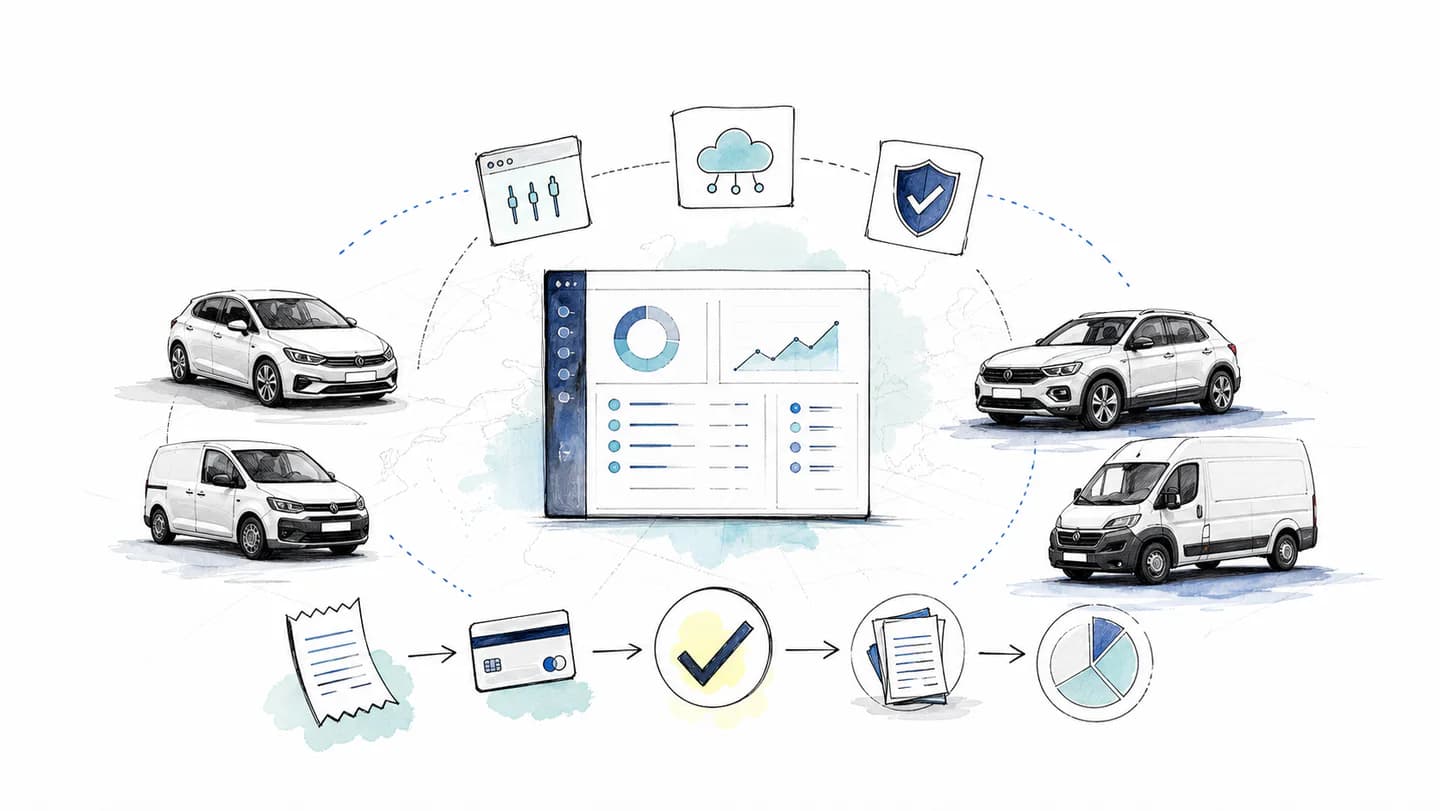
The best expense management software for fleets connects a purchase with the person responsible, its supporting document and the information finance needs. It should make everyday spending easier to control and expenses easier to finish, whether the team runs five vehicles or works across several countries.
Start by separating two needs: managing expenses and managing vehicles. Card controls, receipt collection and accounting do not automatically provide service schedules, parts records or a complete vehicle cost model. A useful shortlist makes those requirements explicit.
For the operating process, read our European fleet expense management guide. If supplier invoices are the main bottleneck, see automated invoice processing.
Fleet expense management software at a glance
| Software category | Start here when you need… | Check with a real example |
|---|
| Cards and expense platforms | Controls for purchases, document collection and accounting preparation | A driver pays, submits a receipt and finance reviews the matched record |
| Vehicle cost and maintenance systems | Service, repair, parts and vehicle running-cost records | A repair is allocated to a vehicle and included in the cost report you need |
| Travel-and-expense tools | Booking, travel policy and expenses linked to trips | A trip includes transport, a hotel and expenses that need approval |
| Mileage and per-diem claim tools | Employee vehicle reimbursement or travel allowances | A real journey is calculated under your company's applicable policy |
| Card-agnostic expense automation | Expense handling alongside a card programme you already use | A supported transaction feed arrives with the documents and fields you need |
| Enterprise expense and invoice suites | Complex approvals, several entities and accounting systems | A purchase crosses the actual approval chain and reaches the correct ledger |
Capabilities overlap and vary by product, plan and country. Use these categories to identify the workflow to test; do not assume a category includes every capability in its name.
Six questions that make a shortlist useful
- Which purchases must the system handle? List fuel, public charging, parking, tolls, repairs and purchases for the wider business. Include the payment methods your team actually uses.
- How will each cost be allocated? Decide whether the record needs a person, vehicle, project, team or legal entity, and check how those details reach accounting.
- What can be controlled before payment? Test available budgets, limits, merchant-category rules and card freezing, including who can change them during a working day.
- Can drivers finish their part quickly? Run the receipt process on a phone they normally use, including a missing detail or an unreadable document.
- What requires human review? Ask to see unmatched payments, uncertain fields, duplicates and exceptions. Check who resolves them and what record of the correction remains.
- Does the output work in your accounts? Test the actual supported integration or export, including attachments, currency and the allocation fields your finance team needs.
A five-vehicle service business may need the same receipt workflow as a larger operator, with fewer approval steps. Growth matters when it changes the number of entities, the controls or the accounting systems involved.
Where Rally fits: cards and agents for the whole business
Rally's AI expense management combines prepaid Visa cards with an agent in WhatsApp and an agent in the platform. It supports approved spending by drivers, people working on site and office teams. The receipt process follows the purchase across those roles.
Physical and virtual cards let the business organise spending for vendors, projects, teams and employees. Managers set the relevant budgets and controls. The agents help collect documents, complete context, connect payments and prepare expenses for accounting.
The Rally workflow from a fuel stop to accounting
| Stage | What the team does | How Rally helps |
|---|
| Before payment | Fund the prepaid balance and set the card's budget and controls | Keeps approved spending attached to the business account |
| At the purchase | Pay with the card and keep the itemised receipt | Records the card transaction |
| In WhatsApp | Send the receipt or invoice and answer any request for details | Helps collect supporting documents and business context without a separate employee expense app |
| Matching | Supply any missing information about the purchase | AutoMatch uses document and transaction context to connect the records |
| In the platform | Review outstanding items and resolve exceptions | The platform agent helps organise the expense work and prepare the next step |
| In accounting | Check the reviewed output in the downloadable accounting export | Keeps the payment, supporting document and expense details together for the accounting workflow |
Basic receipt submission requires no additional Rally employee login. AutoMatch is more than OCR: reading the text is one part of connecting a document with its payment and context. Human review remains part of the process where information needs clarification or an accounting decision.
For example, a driver buying fuel on an overseas job should be able to submit the supplier receipt, add the business context and leave finance with the original document attached to the relevant payment. A useful pilot checks that full path, including a currency difference or a missing field, rather than stopping at a successful scan.
See Rally Accounting for downloadable CSV, Excel, JSON and DATEV-format exports, and the customer stories for examples of businesses using Rally. Use your own pilot to establish the time saved in your operation.
Funding and rollout
Rally cards are prepaid. The prepaid route requires business and representative verification, but no personal credit check or refundable security deposit. The business funds its balance before spending.
Rally's prepaid plans have flat monthly fees based on the cards included, excluding VAT and purchases. Every plan includes the same core card, expense and accounting features, with Enterprise account management and rollout support for larger teams. Check current plans and market terms for the published fees in pounds and euros when costing the rollout.
Rally supports eligible businesses operating across the UK and EU. Confirm the countries, card availability and accounting export formats your business needs before expanding a pilot.
When vehicle costs need a separate system
A card transaction records a payment. A total-cost-of-ownership calculation may also need lease or purchase costs, depreciation, maintenance, insurance, mileage and utilisation. Some of that information does not originate from an expense card.
If the buying decision depends on vehicle profitability, service planning or replacement timing, define the report you need first. Check how the system obtains each input, whether costs are allocated consistently and how missing data is handled.
For maintenance, test a job from booking through labour, parts and completion. For utilisation, test the underlying distance or usage data. Do not assume expense automation supplies those operational capabilities, or promise a complete vehicle cost figure from card spending alone.
When travel or reimbursement is the main task
Travel-and-expense tools: evaluate booking, travel policy, approvals and the relationship between a trip and its expenses. Test a change or cancellation as well as a completed trip. Confirm how road purchases appear alongside hotel or transport bookings.
Mileage and per-diem claims: check the relevant countries, rates, effective dates, deductions and approval process. The evidence and calculation for an allowance differ from a purchase receipt. Ask the person responsible for accounting to validate the output against the company's policy.
These needs can coexist with card spending. Identify which system owns each record so an employee does not submit the same item twice or leave a gap between the payment and the claim.
When you want to keep existing cards or banking
An expense workflow can operate alongside an existing banking setup. Check the supported card or transaction feeds, how quickly data arrives, which fields are available and how reversals or pending payments are represented.
If card issuance is part of the proposed product, be clear about which purchases will move onto those cards and which will remain elsewhere. A new expense process does not require an assumption that the business will move every banking activity.
For the questions to ask, use our business accounts and expense workflow comparison and expense platform comparison.
When governance is the deciding factor
A business with several entities or accounting systems should test the actual permission and approval model. Confirm who can issue or freeze a card, change a budget, edit an expense and export records for each entity.
Run a purchase through every approval it needs. Check that finance can trace the source document and any correction, and that users see only the information they should. Include implementation work, required modules and internal administration when calculating the total cost.
Run a pilot with the awkward purchases included
Use a small group of drivers and a finance reviewer. Include a normal fuel stop, parking, a missing receipt, an unclear document and an overseas purchase if the business makes them. Add a non-fleet purchase to check whether the same workflow can serve the rest of the team.
Agree the success measures before the pilot:
- How long the employee spends submitting each expense.
- How many purchases still lack supporting documents after the agreed deadline.
- How many matched records require manual correction.
- How much time finance spends reviewing and exporting the records.
- Whether the required allocation and source documents arrive correctly in accounting.
- The monthly fees and the systems still needed after rollout.
Keep a pilot record for each purchase so the decision is reproducible:
| Check | Record | Acceptance decision |
|---|
| Source evidence | Receipt readable, all pages present, required fields available | Reviewer can open and assess the source from the exported record |
| Matching | Initial match, corrections and reason | Every ambiguous match is resolved or visibly awaiting review |
| Allocation | Driver, vehicle, project and legal entity where required | Required fields reach the accounting file correctly |
| Completion | Submission time, review time and unresolved items | Compare with your measured starting process and agreed deadline |
Use the five-receipt capture test, the invoice matching exception checklist and the fleet card policy to prepare those cases. These are pilot criteria to agree with your team, not claimed product benchmark results.
Compare those results with your current process using the same kind of purchases. A successful pilot gives you a measurable reason to expand, and a clear list of work that still needs a person or another system.
Explore Rally's expense agents, check company cards and controls, or book a walkthrough using your own spending process.